


AllStays Camp & RV: Camping
4.655.00 Reviews
App Specs
- Version
- 12.1
- Updated On
- License
- Free
- Downloads
- 50,000+
- Developer
- appexgroup
- Categories
- Travel & Local
- Platform
- Android
Screenshots
 Analysis by AppCompare
When I’m planning a camping trip, the hard part is often not choosing a destination but working out where I can stop along the way. AllStays Camp & RV is built for that practical side of travel: it brings camping and RV-related places into one map-based tool, with filters and offline lookup. I find it most useful when I want to compare possible stops before setting off, rather than relying on a single campground search or making decisions at the roadside.
Where planning can get stuck
A large directory sounds simple until you have to narrow it down. A campground that looks promising may not suit the size of your rig, your preferred style of camping, or the kind of overnight stop you need. With a broad range of places in view, the main challenge is knowing which details matter for this particular trip. I’d begin with the route and the basics—where I expect to stop and what facilities I need—then use the filters to reduce the list instead of browsing every nearby marker.
I’d also treat listings as a starting point, not a guarantee. Information about a place can change, and a map result does not by itself settle practical questions such as current availability or whether a site fits your plans. When a stop is important to the trip, I would check its details and confirm anything time-sensitive before changing course. That small habit helps prevent a useful discovery tool from becoming the only source behind a major travel decision.
Setup checks before leaving
The most valuable preparation is making sure the app is useful before you lose service. Since offline lookup is part of its appeal, I’d explore the area I expect to travel through while I still have a connection and make sure I understand how to reach the information I need. Don’t wait until you are parked beside a remote road to learn where a filter or map control is. A few minutes of familiarization at home can make the difference between a calm stop and fumbling with a phone when you are tired.
I’d also plan with a backup. Save or note the names of a few likely stops, and keep your route available through whatever navigation method you normally trust. Offline campground information and turn-by-turn directions are not the same job, so I wouldn’t assume one replaces the other. For a long drive, having a primary choice and an alternative is sensible even when the app is working as expected.
Unpacking AllStays Camp & RV
So, here’s the deal. When I first heard about AllStays Camp & RV, I was a bit skeptical. I’ve tried numerous camping apps before, and not all of them lived up to the hype. But this one? It’s like the Swiss Army knife of camping apps.
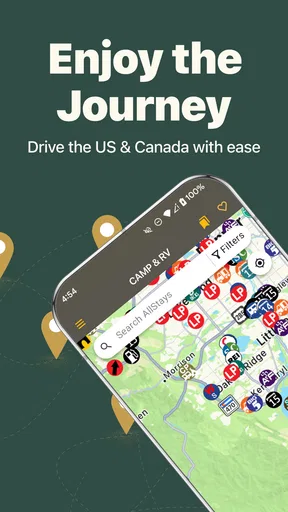
Upon opening the app, you’re greeted with a clean and user-friendly interface. It doesn’t bombard you with unnecessary info, which is a relief when you’re planning your next big adventure. The home screen offers a neat map view, showing all the available campgrounds, RV parks, and even rest areas.
Worth Reading Before You Choose

Flipboard Shows What News Apps Must Do Beyond the Feed

Switching to Android Auto Means Rethinking Your Driving Routine

Google Calendar Makes a Crowded Week Easier to Manage

Ludo King Makes the Most of the Minutes Between Plans

Baby Panda World Brings Quick Play to Modern Phones, but Its Game Library Feels Busy

ESPN’s Live Game View Makes Following Close Games Easier
Features That Stand Out
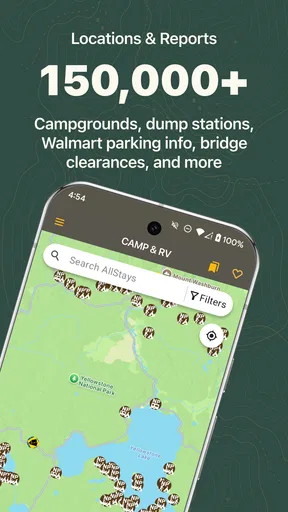
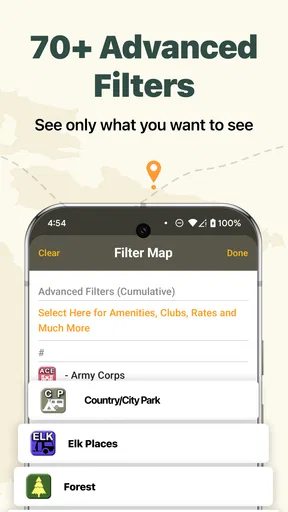
One of the first things that caught my eye was the extensive database. Whether you’re looking for a cozy campground in the woods or a full-service RV park, this app has you covered. It’s like having a comprehensive directory right at your fingertips. Plus, the search filters are a lifesaver, letting you sift through options based on amenities, price, and even user reviews.
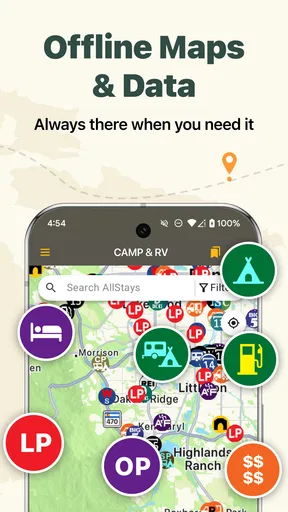
Another gem is the offline capabilities. We all know how spotty service can get in the great outdoors, right? Well, with AllStays, you can download maps and campground details ahead of time. This feature is a game-changer, especially when you find yourself in the middle of nowhere with no signal.
Beyond Just Camping
But wait, there’s more! The app isn’t limited to just campgrounds. It also lists rest stops, truck stops, stores, and even low clearance bridges. For those of us navigating large RVs, this is crucial. You don’t want to find yourself stuck under a bridge because you didn’t know the clearance height!
And if you’re a fan of boondocking, you’re in luck. The app includes countless free camping sites and public lands for that off-the-grid experience. Trust me, nothing beats waking up to the sunrise over a secluded lake.
User Experience and Community
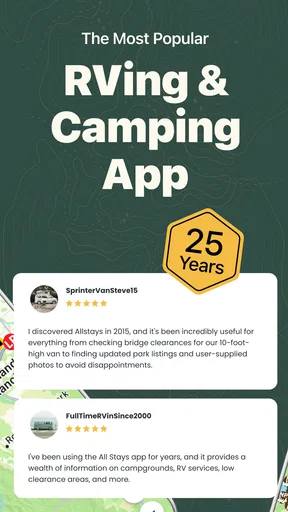
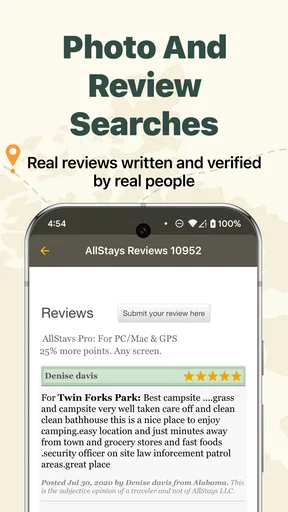
Let’s talk about the community aspect. The app allows users to leave reviews and update campground information. This real-time feedback is invaluable. It’s like having a community of fellow travelers sharing the latest insights and tips.
The app’s developers seem to have thought of everything. There’s even a weather overlay feature, which helps you plan your trip based on current conditions. It’s these little touches that elevate the app from good to great.
Room for Improvement?
No app is perfect, right? While AllStays Camp & RV is a fantastic tool, it’s not without a few quirks. For instance, the app isn’t free, which might be a bummer for some. However, considering the wealth of information it provides, I’d say it’s worth the price of admission.
And yes, there’s a bit of a learning curve if you’re not particularly tech-savvy. But once you get the hang of it, navigating the app becomes second nature.
Everyday workflows and recovery
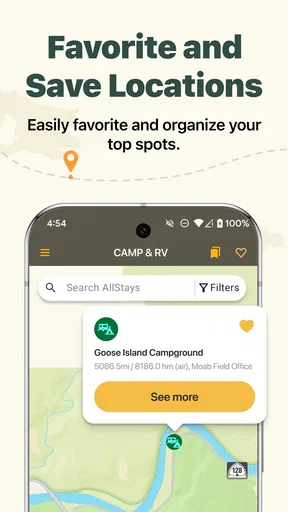
Here’s a realistic way I’d use it: I’m driving toward a region where I might stop for the night, but I don’t want to commit to the first place that appears. Before leaving, I’d scan the route, shortlist a campground and an alternative, then check what each listing says about its setting and facilities. If plans shift or signal drops, I can use the offline lookup I prepared rather than starting the search from scratch. The app helps me organize possibilities; it doesn’t make the final decision for me.
If a result seems missing or the map feels confusing, I’d first widen the search area, remove filters that may be too restrictive, and check that I’m looking at the right part of the route. Then I’d reopen the relevant map view and compare the listing details instead of assuming the place does not exist. Those are simple troubleshooting steps, but they address common search friction without requiring any special technical setup.
For RV travel, I’d use the extra categories as a route-planning aid rather than a substitute for vehicle-specific checks. A low-clearance marker is a useful warning to investigate, not permission to proceed; I’d still verify measurements against reliable information and my vehicle. Likewise, nearby services can help me think through fuel or rest breaks, but I would not treat every map symbol as confirmation that a facility is open or suitable at the moment I arrive.
Who will get the most from it
I think this is a strong fit for people who travel by RV, mix campground stays with other kinds of stops, or like to keep several overnight options in reserve. It is also handy for campers who want a wider directory than a single park’s booking site can provide. appexgroup’s app is free to install, has an Everyone age rating, and is listed in the travel and local category. It has a 4.4 average from around 270 ratings, with over 10,000 installs, so there is a modest user community behind the listings rather than an entirely unknown tool.
It is less compelling if you only need directions to one campground you have already booked. A standard map app may be quicker for that straightforward task, while a campground’s own site or booking service is usually the better place to confirm reservations and current rules. I would also think twice if I dislike spending time comparing map entries: the breadth is useful, but it asks you to make choices instead of handing you one guaranteed answer.
Compared with ordinary navigation apps, the distinction is the camping-oriented directory and its filters, plus the RV-related points that can matter between destinations. Compared with a specialist booking platform, the emphasis here is broader discovery and route context rather than simply completing a reservation. I would use both kinds of tools when needed: AllStays to identify and compare possibilities, and a direct source to settle details that could affect whether I can stay there.
Costs, version, and realistic limits
The app is free, though in-app purchases are listed from $9.99 to $49.99 per item. I’d check what an offered purchase covers before paying and decide whether it fits how often I travel; occasional campers may not need to spend beyond the free starting point. The current version is 6.50, and it supports Android 8.0 or later, which is worth checking before installing on an older device.
Offline access is valuable, but it still calls for preparation: look up the places and information you may need before you enter a dead zone. It is also sensible to keep your phone charged and retain a separate route plan. If the app seems slow or a listing looks incomplete, I’d close and reopen it, check connectivity when available, and retry the search with fewer filters. If the issue is actually an outdated campground detail or a road restriction, restarting the app will not resolve it; I’d verify that information independently.
The user-review and update features can add useful local perspective, but I would read comments as clues rather than guarantees. A traveler’s report can be valuable for spotting a concern or forming a question, while conditions may differ by season or by the time you arrive. That distinction matters most when choosing an isolated overnight stop, where having a second option is more useful than trusting a single enthusiastic note.
My practical verdict
Overall, AllStays Camp & RV is most convincing when I need to think beyond the campsite itself. Its mix of campgrounds, RV parks, rest stops, truck stops, stores, and low-clearance information makes it a practical companion for planning a route with contingencies. I like the idea of being able to compare options before the day gets complicated, especially when travel takes me away from dependable service.
It is not a replacement for confirming a reservation, checking a changing road condition, or using a navigation tool that is better suited to turn-by-turn directions. Its directory can also feel like more than a casual camper needs, and the learning curve is real if you are unfamiliar with map filters. But if you regularly travel with an RV or want one place to investigate a range of camping-related stops, I’d keep it in my planning kit. My best advice is to use it before departure, save a primary choice and a backup, and verify the details that could make or break the stop.
Pros
- Comprehensive database of campgrounds and RV parks.
- Offline access ensures information anytime
- anywhere.
- User-friendly interface with easy navigation.
- Real-time updates on campground availability.
- Includes filters for specific amenities and services.
Cons
- Limited to North America in coverage.
- Occasional inaccuracies in user-generated data.
- Subscription required for full features.
- Interface can be slow on older devices.
- No built-in navigation for routes.
FAQs for AllStays Camp & RV: Camping
What features does the AllStays Camp & RV app offer?
AllStays Camp & RV provides a comprehensive tool for finding campgrounds, RV parks, and services across North America. The app includes detailed maps, GPS navigation, filters for amenities, and reviews from other campers. It also offers offline access, which is particularly useful when traveling to remote areas without internet coverage.
Is the AllStays Camp & RV app available for both Android and iOS?
Yes, the AllStays Camp & RV app is available for both Android and iOS devices. You can download it from the Google Play Store for Android devices and the Apple App Store for iOS devices. This ensures accessibility for a wide range of users regardless of their preferred platform.
Does the app require an internet connection to function?
While the AllStays Camp & RV app offers offline access to certain features such as maps and saved locations, some functionalities like real-time updates and user reviews may require an internet connection. It's advisable to download necessary data beforehand if you plan to visit areas with limited connectivity.
Are there any subscription fees or in-app purchases?
The AllStays Camp & RV app is a paid app, which means there is an initial purchase cost. However, it does not include recurring subscription fees or in-app purchases. This one-time payment grants you full access to all the app's features, providing excellent value for avid campers and RV travelers.
How accurate and dependable is the information provided by the app?
The AllStays Camp & RV app is known for its detailed and reliable information, sourced from a combination of user contributions and official data. Regular updates ensure accuracy, but it's always wise to double-check critical details directly with campgrounds or RV sites, especially during peak seasons or special events.


